> ## Documentation Index
> Fetch the complete documentation index at: https://docs.corrily.com/llms.txt
> Use this file to discover all available pages before exploring further.
# Attributes
> Creating attributes which combine to make up an audience.
You can use **Corrily Attributes** to build the audiences that see your experiments or specific prices, or to simply
analyze how well your current pricing and packaging strategy is working. Attributes can either be a `string`,
a `number` or a `boolean`. You can use the Attributes tab under Audiences to create and manage all your user attributes.
When you create a new audience, you can choose different **matching functions** depending on the Attribute format viz.
comparison operations like `greater than` or `equal to` for *number*, `starts with` for *string* and `true/false` for *boolean*
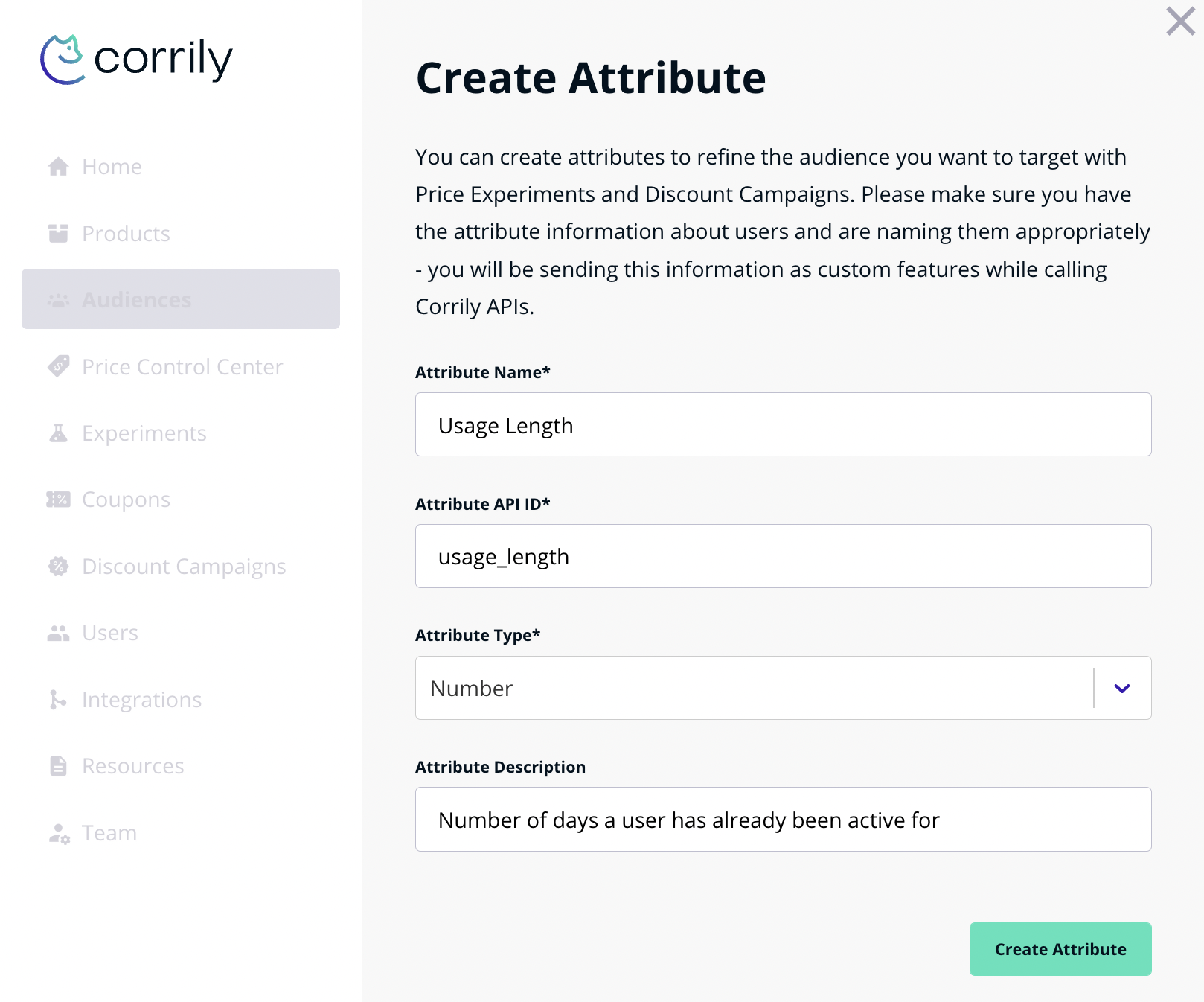
To create a new attribute:
* Navigate to `User Management` -> `Audiences` -> `Attributes`
* Click `Create Attribute`.
* Enter a name, description and a key for the attribute. For example, an attribute to describe different kinds of users
on your platform might be called "User Type" (*string*), or an attribute to describe the length of the users on your platform
may be called "User Length" (*number*)