> ## Documentation Index
> Fetch the complete documentation index at: https://docs.corrily.com/llms.txt
> Use this file to discover all available pages before exploring further.
# Apple App Store
> Integrating Corrily with the Apple App Store
Corrilys Apple App Store integration is designed
to work with the App Store's Catalog, In-App Purchases, and Server Notifications.
## App Store Connect App-Specific Shared Secret
The App-Specific Shared Secret allows Corrily to connect with Apple on your behalf.
1. **Generating an App-Specific Shared Secret**
* Log in to App Store Connect
* Navigate to "My Apps" and select your app
* Select "App Information" under the "General" section from the left side menu
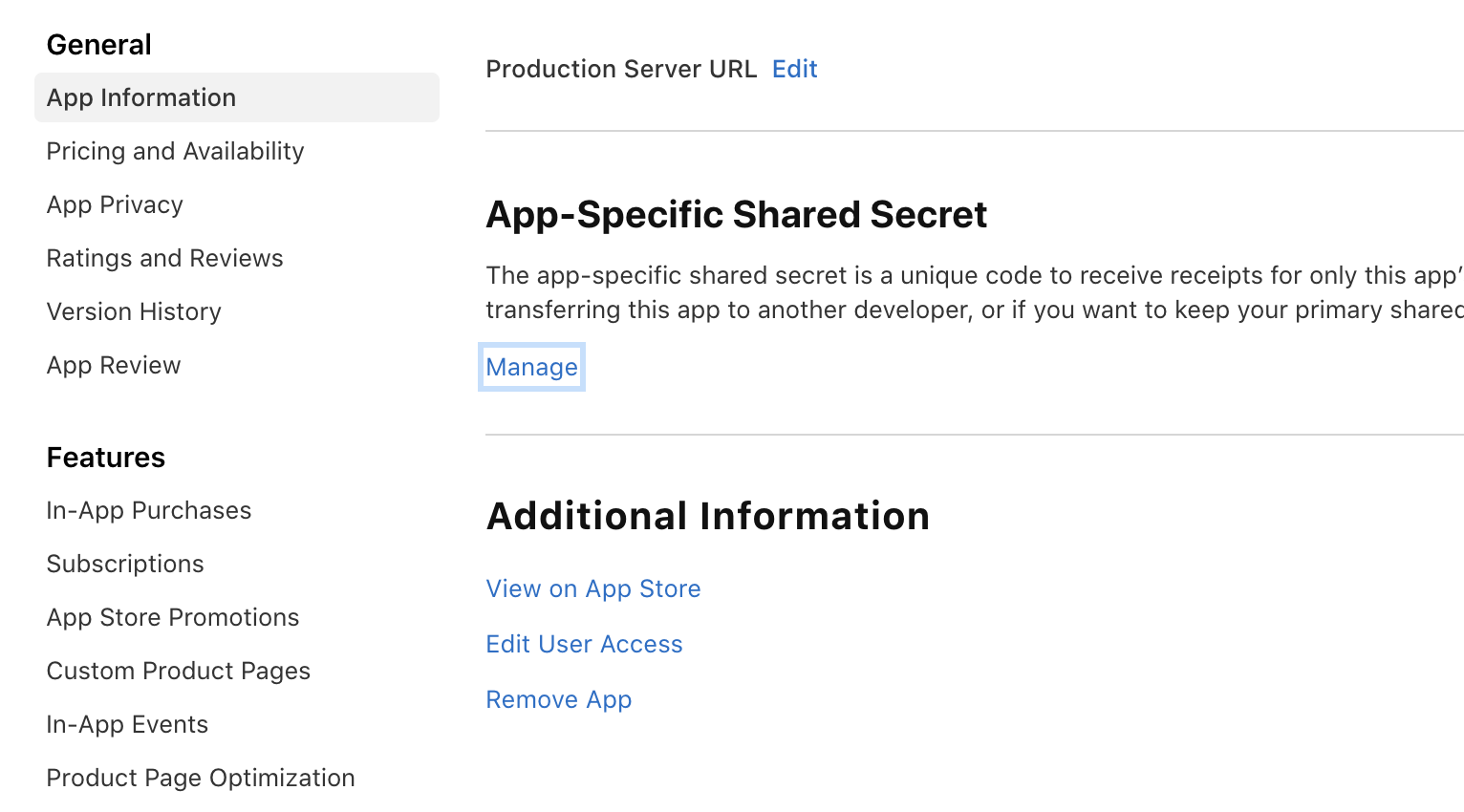 * Select "Manage" under the App-Specific Share Secret section from the right side
* Generate and copy your shared secret
* Select "Manage" under the App-Specific Share Secret section from the right side
* Generate and copy your shared secret
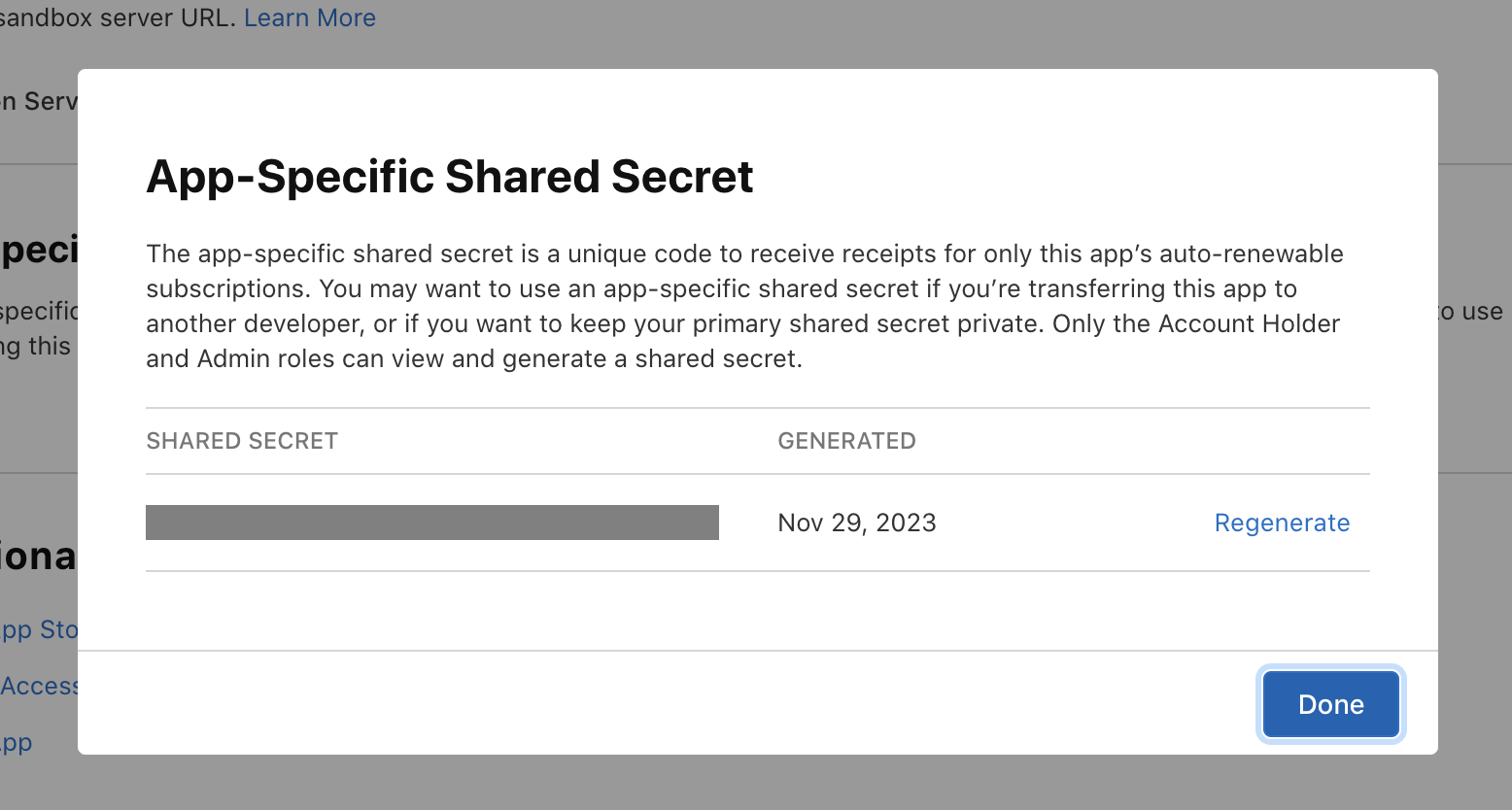 2. **Enter the Shared Secret in Corrily**
* Enter the secret in your iOS app settings on the [Corrily Integrations Page](https://dashboard.corrily.com/integrations)
## App Store Connect API
You may use an App Store Connect API Key to import Subscription, Products and Prices from App Store Connect.
1. **Create an App Store Connect API key**
* On App Store Connect, [create a new App Store Connect API Key](https://developer.apple.com/documentation/appstoreconnectapi/creating_api_keys_for_app_store_connect_api) under Users and Access → Keys → App Store Connect API:
2. **Enter the Shared Secret in Corrily**
* Enter the secret in your iOS app settings on the [Corrily Integrations Page](https://dashboard.corrily.com/integrations)
## App Store Connect API
You may use an App Store Connect API Key to import Subscription, Products and Prices from App Store Connect.
1. **Create an App Store Connect API key**
* On App Store Connect, [create a new App Store Connect API Key](https://developer.apple.com/documentation/appstoreconnectapi/creating_api_keys_for_app_store_connect_api) under Users and Access → Keys → App Store Connect API:
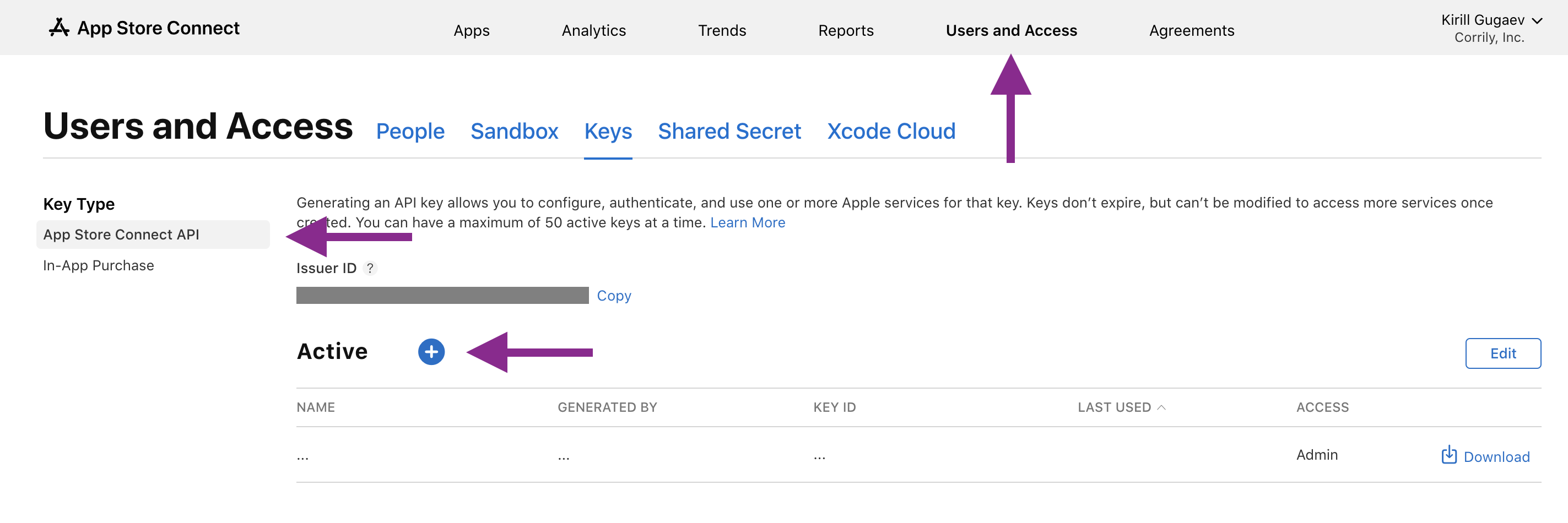 The newly created key needs at least the `App Manager` access level
* Download the generated key. You will receive a `.p8` key file.
* Copy the `Issuer ID` (shown above the "Active" table).
2. **Upload the App Store Connect API key to Corrily**
* Once everything is set up in App Store Connect, you need to upload the App Store Connect API key from the previous step to Corrily.
3. **Copy the Vendor Number**
* Then, navigate to the [Payments and Financial Reports](https://appstoreconnect.apple.com/itc/payments_and_financial_reports/) page and coopy `Vendor Number` from the left top corner of the screen.
## Setup server-side Notifications
Corrily needs a way of detecting revenue events coming in from various in-app purchase types
(consumables, non-consumables, auto-renewable subscriptions, or non-renewing subscriptions).
In each case Corrily needs to be informed of any charge
and subscription events relating to products being experimented on.
### Configure App Store Server-side Notifications (preferred)
Setup Apple [server-to-server notifications](https://developer.apple.com/documentation/storekit/in-app_purchase/original_api_for_in-app_purchase/subscriptions_and_offers/enabling_app_store_server_notifications)
with the URL provicded in Corrily Dashboard:
1. Navigate to the App Store Integration settings in Corrily Dashboard > Integrations.
2. Copy the Notification URL from Webhooks tab.
3. Log in to App Store Connect, go to **General** > **App Information** > **App Store Server Notifications**.
The newly created key needs at least the `App Manager` access level
* Download the generated key. You will receive a `.p8` key file.
* Copy the `Issuer ID` (shown above the "Active" table).
2. **Upload the App Store Connect API key to Corrily**
* Once everything is set up in App Store Connect, you need to upload the App Store Connect API key from the previous step to Corrily.
3. **Copy the Vendor Number**
* Then, navigate to the [Payments and Financial Reports](https://appstoreconnect.apple.com/itc/payments_and_financial_reports/) page and coopy `Vendor Number` from the left top corner of the screen.
## Setup server-side Notifications
Corrily needs a way of detecting revenue events coming in from various in-app purchase types
(consumables, non-consumables, auto-renewable subscriptions, or non-renewing subscriptions).
In each case Corrily needs to be informed of any charge
and subscription events relating to products being experimented on.
### Configure App Store Server-side Notifications (preferred)
Setup Apple [server-to-server notifications](https://developer.apple.com/documentation/storekit/in-app_purchase/original_api_for_in-app_purchase/subscriptions_and_offers/enabling_app_store_server_notifications)
with the URL provicded in Corrily Dashboard:
1. Navigate to the App Store Integration settings in Corrily Dashboard > Integrations.
2. Copy the Notification URL from Webhooks tab.
3. Log in to App Store Connect, go to **General** > **App Information** > **App Store Server Notifications**.
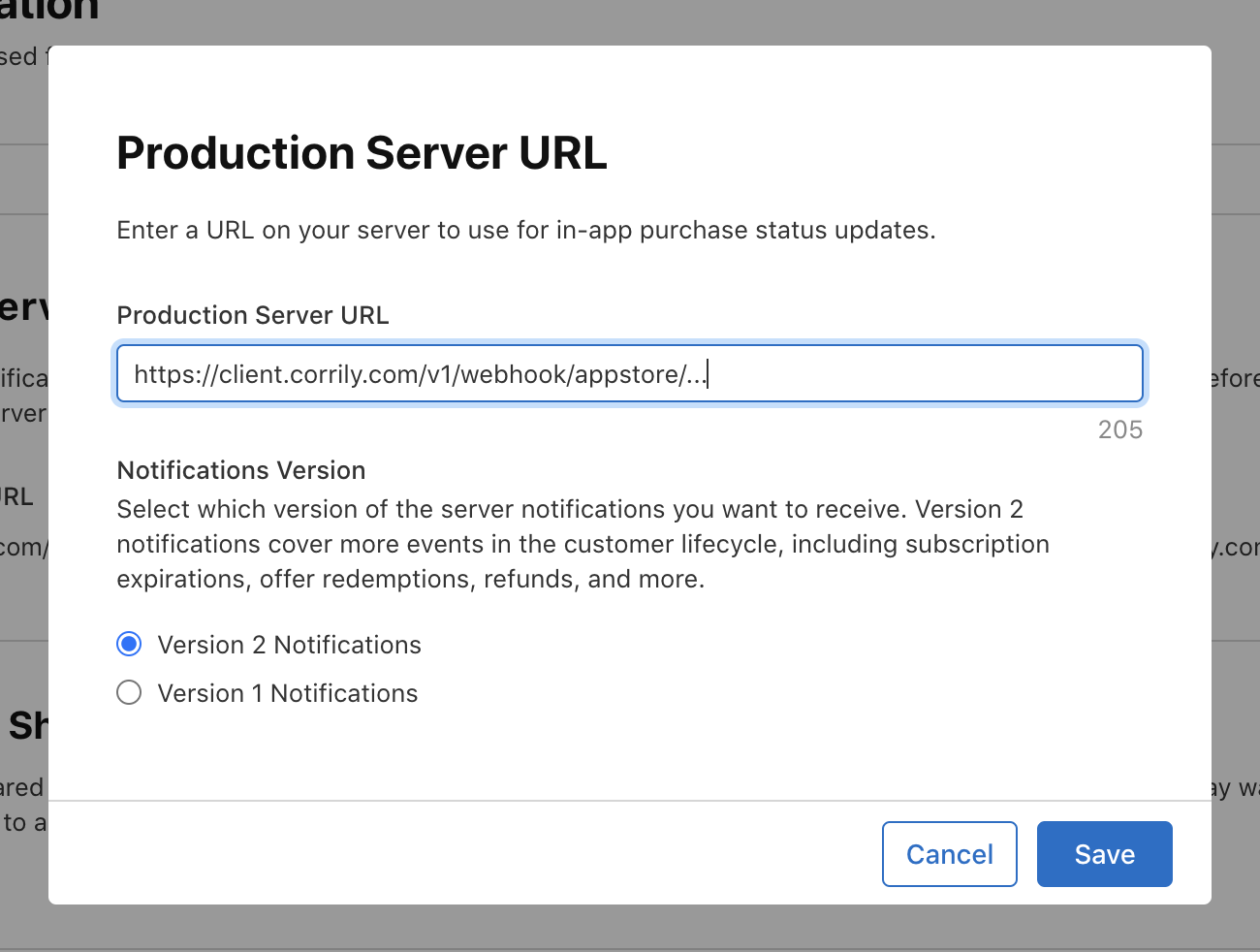
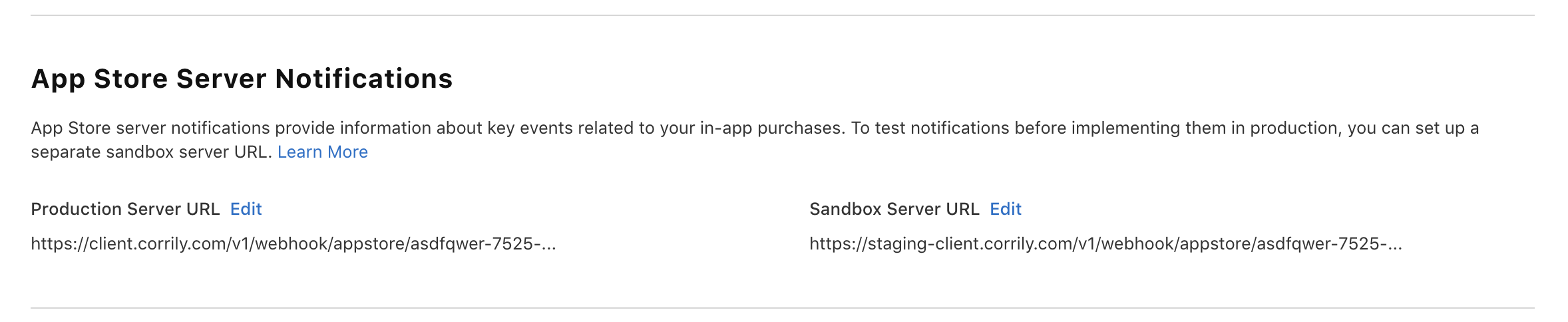 4. Paste the full URL from Corrily in both the Production Server URL field and the Sandbox Server URL field.
Corrily supports either Version 1 or Version 2 notifications, but Version 2 is preferred.
If you already have a central location that handles subscriptions and charge events,
you can forward Apple Notifications to Corrily using the same webhook URL.
4. Paste the full URL from Corrily in both the Production Server URL field and the Sandbox Server URL field.
Corrily supports either Version 1 or Version 2 notifications, but Version 2 is preferred.
If you already have a central location that handles subscriptions and charge events,
you can forward Apple Notifications to Corrily using the same webhook URL.